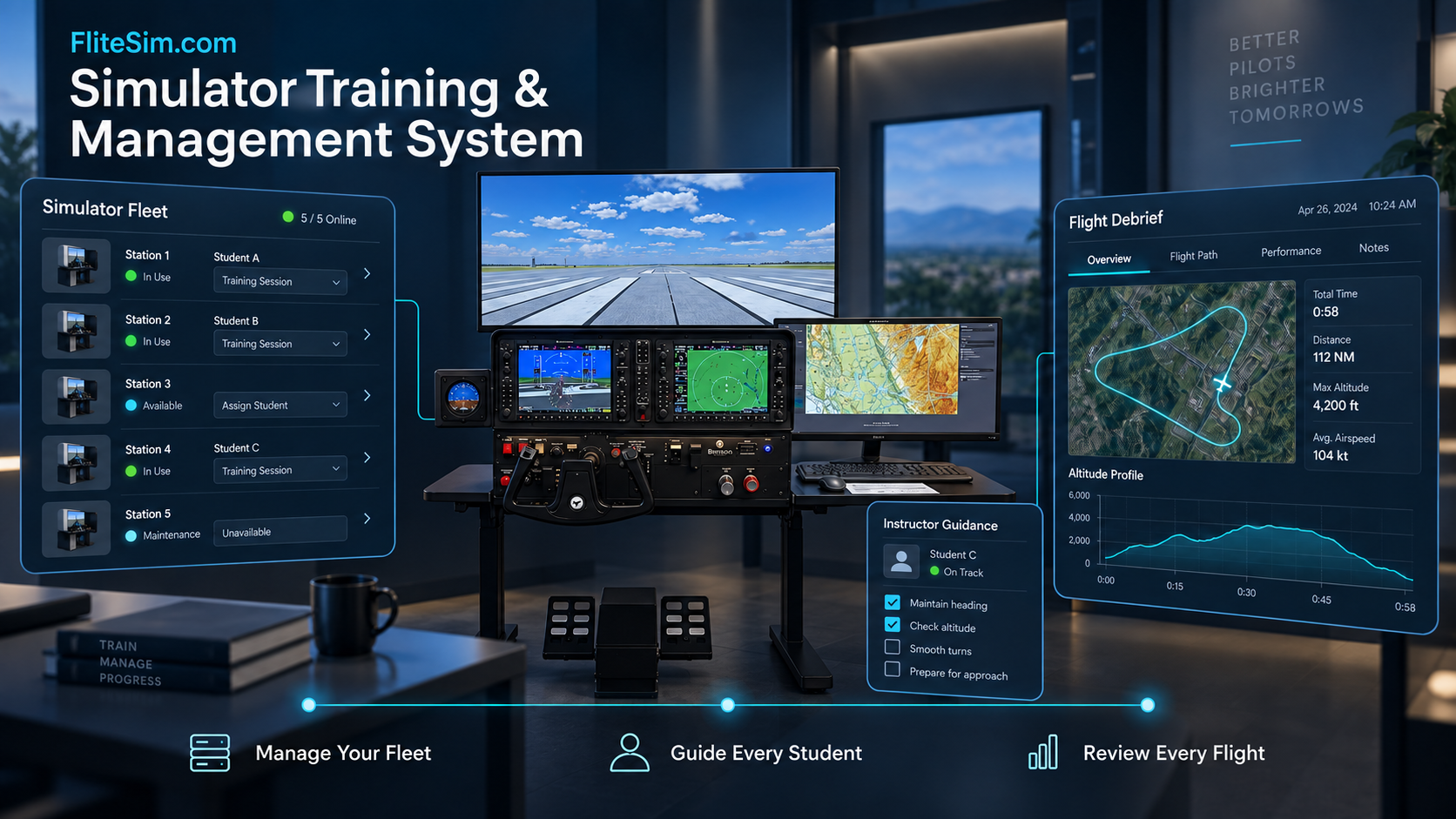
FliteSim.com Simulator Training & Management System (STMS)
Manage Your Simulator Fleet. Guide Every Student. Learn from Every Flight.
Bring simulator operations, guided instruction, and student performance review together in one connected system.
The FliteSim.com Simulator Training & Management System helps flight schools and training centres organise their X-Plane 12 simulators, deliver structured practice, and turn recorded flights into useful feedback.
With a central management dashboard and integrated Flight Recorder and Virtual Flight Instructor capabilities, it connects class preparation, simulator training, and post-flight review.
One Dashboard for Your Flight Simulator Fleet
Manage students, staff, courses, and simulator stations through the FliteSim Connected web dashboard.
Give each simulator a recognisable name and view its connection status, current student, assigned training, and reported software versions. Prepare stations for group classes, individual practice, or custom rental sessions.
School administrators can:
Create student accounts individually or import them in batches.
Organise students into custom-named groups.
Enrol students in courses and assign specific exercises.
Assign students and training content to individual simulators.
Review lesson attempts, scores, progress, and flight reports.
Clear station assignments between sessions.
Manage staff accounts, invitations, approvals, and access.
Schedule simulator bookings and maintenance periods.
Each school’s records are separated, with access controlled according to staff responsibilities.
Prepare Classes Quickly and Keep Assignments Clear
Select a student group, choose the training content, and assign students to available simulators.
Once a simulator is enrolled, students do not need to sign in at that station for every school-managed session. The administrator selects the active student, and the Flight Recorder displays the student’s name for verification.
Schools can make an entire course available or restrict a station to one selected exercise. Individual assignments allow some simulators to run guided training while others remain available for custom rental use.
This flexibility helps staff coordinate activities across the fleet and prepare stations for the next group with fewer repeated steps.

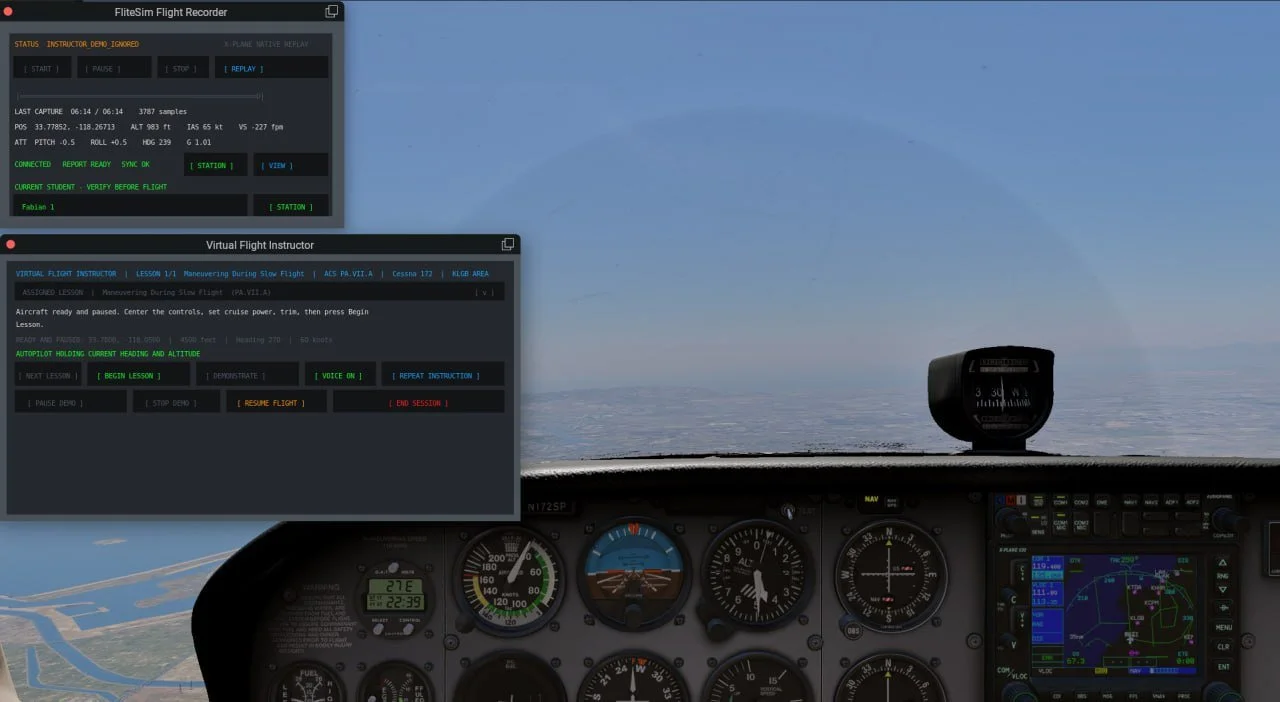
Virtual Flight Instructor:
See, Hear, Feel, and Practise
The Virtual Flight Instructor delivers structured practice inside X-Plane 12 through spoken guidance, on-screen instructions, clear targets, and progress indicators.
A movable dialog box keeps lesson information accessible within the simulator display setup. Prepared starting situations reduce configuration work and help students repeat exercises under consistent conditions.
Training scenarios can be customised to any airport in the World allowing schools to build practice around their home airport or another location relevant to their programme.
For supported exercises, students can observe an instructor demonstration before taking control. Pause, stop, and student-handoff controls allow instructors to manage the pace of the session.
Feel the Controls Move During Demonstrations
For Private Pilot Manoeuvres, our force feedback yokes and pedals physically move during instructor demonstrations.
Students can see the aircraft’s response, hear the guidance, and feel the corresponding control movements. This physical guidance is designed to help students develop critical “muscle memory” more rapidly, connecting what they feel at the controls with how the aircraft behaves.
Configurable guidance and assistance support different experience levels and age-appropriate learning. The Virtual Flight Instructor complements qualified instruction with repeatable demonstrations and practice that schools can incorporate into their training programmes.
Flight Recorder: Capture the Student’s Performance
The Flight Recorder collects flight information directly from X-Plane, including aircraft position, altitude, airspeed, heading, pitch, bank, vertical speed, control inputs, and available engine and aircraft-system data.
Automatic recording and manual Start, Pause, and Stop controls support complete flights and focused practice sessions.
When used with the Virtual Flight Instructor, recording follows the exercise. Aircraft setup, briefings, and instructor demonstrations are excluded from the student’s assessed flight, keeping the performance record focused on the student’s own practice.
Clear Post-Flight Reports with Actionable Feedback
After a completed session, the Recorder generates a report containing:
Flight details, aircraft identification, duration, distance, and relevant airport information.
A top-down flight path and altitude profile.
Measurements of aircraft control, airspeed, altitude, heading, stability, and smoothness.
Significant flight events and deviations.
Strengths, areas for improvement, and recommended practice.
Scores for the applicable parts of the flight.
Reports focus on the flight phases actually recorded. A short airborne exercise receives relevant feedback without unrelated takeoff or landing commentary. If the recording contains insufficient data for a meaningful score, the report identifies that limitation.
Plain-English explanations help students understand their results, while the underlying measurements provide instructors with evidence for a detailed debrief.
Replay the Flight and Review Key Moments
Students and instructors can review a session inside X-Plane using native simulator replay or explore it later through the interactive flight report.
Report replay combines a timeline, moving aircraft marker, event bookmarks, and synchronized flight-data readings. Return to specific moments to examine how a control input, speed change, or flight-path deviation affected the exercise.
The report remains available after X-Plane is closed, allowing students to revisit feedback between sessions and instructors to prepare follow-up training.
Custom VFR Charts for Your Training Area
We will provide custom VFR charts for any coverage area within the U.S.A., allowing flight-path reports to reflect the airspace and locations relevant to your school.
Local recording and reporting support offline use. Connected features add browser-based report access, downloadable PDFs, and email delivery.
Track Progress Across Sessions and Instructors
Students can access their flight-report history through their own dashboard. Instructors can review previous attempts, identify recurring difficulties, and assign suitable follow-up practice.
A shared training record also supports continuity when students work with different instructors. Staff can see what has been practised and use recorded evidence to guide the next session.
Automated assessments support the review process, while instructors provide the context, judgement, and individual coaching.
Practical Benefits for Flight Schools and Training Centres
FliteSim helps flight schools prepare classes more efficiently. Student groups and simulator station assignments reduce repeated login and setup work, while repeatable scenarios, briefings, and objectives give instructors a consistent foundation for training.
During instructor demonstrations, moving force feedback yokes and pedals connect what students see with the physical feel of aircraft control. This hands-on experience helps students understand control movements and develop muscle memory.
Flight paths, measurements, and replay make debriefs more useful by giving instructors and students clear examples to review together. Reports help identify skills that need more attention, making each practice session more focused.
Stored reports and lesson attempts preserve each student’s practice history, helping different instructors maintain continuity in training. The same simulator fleet can also support group classes, individual instruction, and custom rentals, giving schools greater flexibility in their daily operations.
A Connected Training Experience
A session begins with the administrator assigning students and training content to the appropriate simulators. Students receive guidance, complete their exercises, and have their performance recorded.
After the session, instructors use reports and replay to discuss strengths, explain deviations, and select the next practice activity. The training record remains available for future review.
The FliteSim.com Simulator Training & Management System brings these steps together, helping schools organise their simulator operations and giving students a clearer connection between practice, feedback, and progress.
First-Year Commercial License Included
Bring connected simulator management, guided practice, and detailed flight review into your training programme.
The first-year commercial license for the FliteSim.com Simulator Training & Management System, including Flight Recorder and Virtual Flight Instructor capabilities, is included with every purchase of a FliteSim.com Commercial System.